Knowbel Reader

A reader for the books you study

Open a textbook, a paper or a saved article, select the passage that lost you, and ask about it. The explanation draws on the rest of the book, and every claim cites the page it came from.

PDF, EPUB and web pages · Runs in the browser or as a macOS app · Bring your own API key

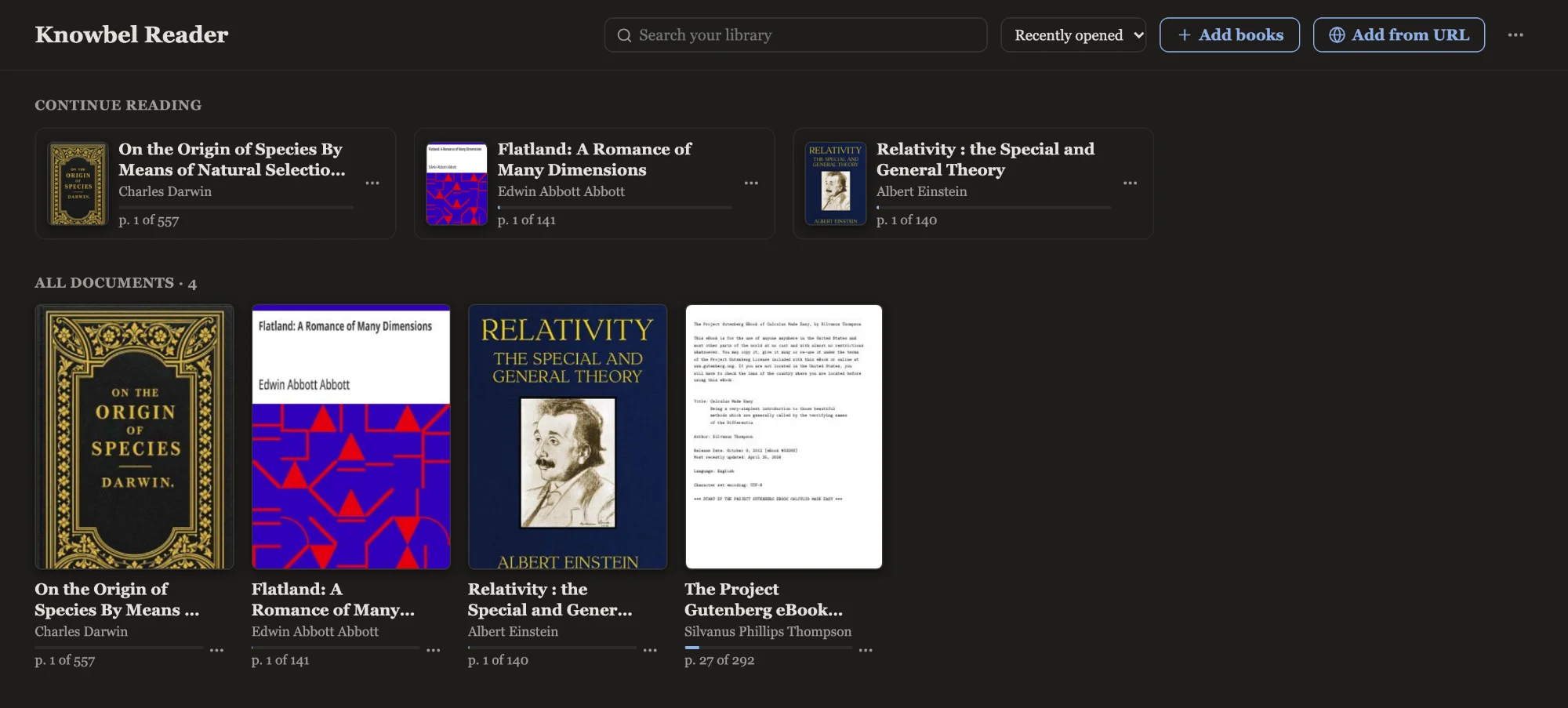
Knowbel Reader with a page of Calculus Made Easy on the left. A highlighted sentence about reading dx has been sent to Deep Dive, and the panel on the right explains it, with page citations after each claim.
Deep Dive. Select a sentence, an equation or a region of a page. The answer uses the surrounding text and related passages elsewhere in the book. Ask a follow-up, or dive into a phrase in the answer to go a level deeper.

Answers you can check

Press ⌘J to ask about the whole document, one chapter or a page range. Only the relevant passages go to the model, and each claim in the reply carries a page chip.

Hover a chip to read the exact passage it rests on, or click it to jump there in the PDF. Anything the model adds from outside the document is labelled, so you know what to verify.
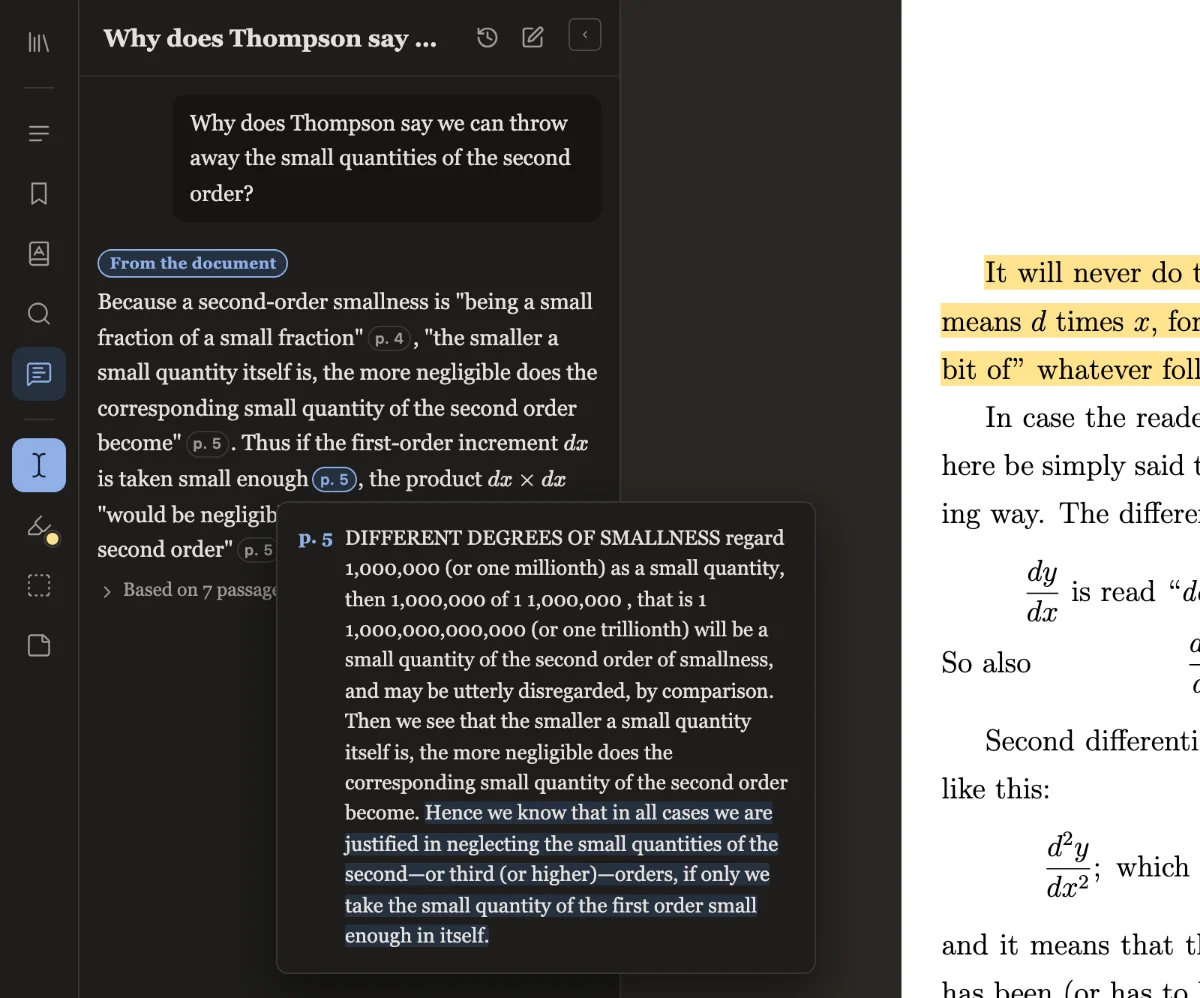
The Ask panel answering why second-order small quantities can be ignored. The pointer rests on a p. 5 citation chip, and a preview shows the quoted passage from page 5.

A glossary for this book

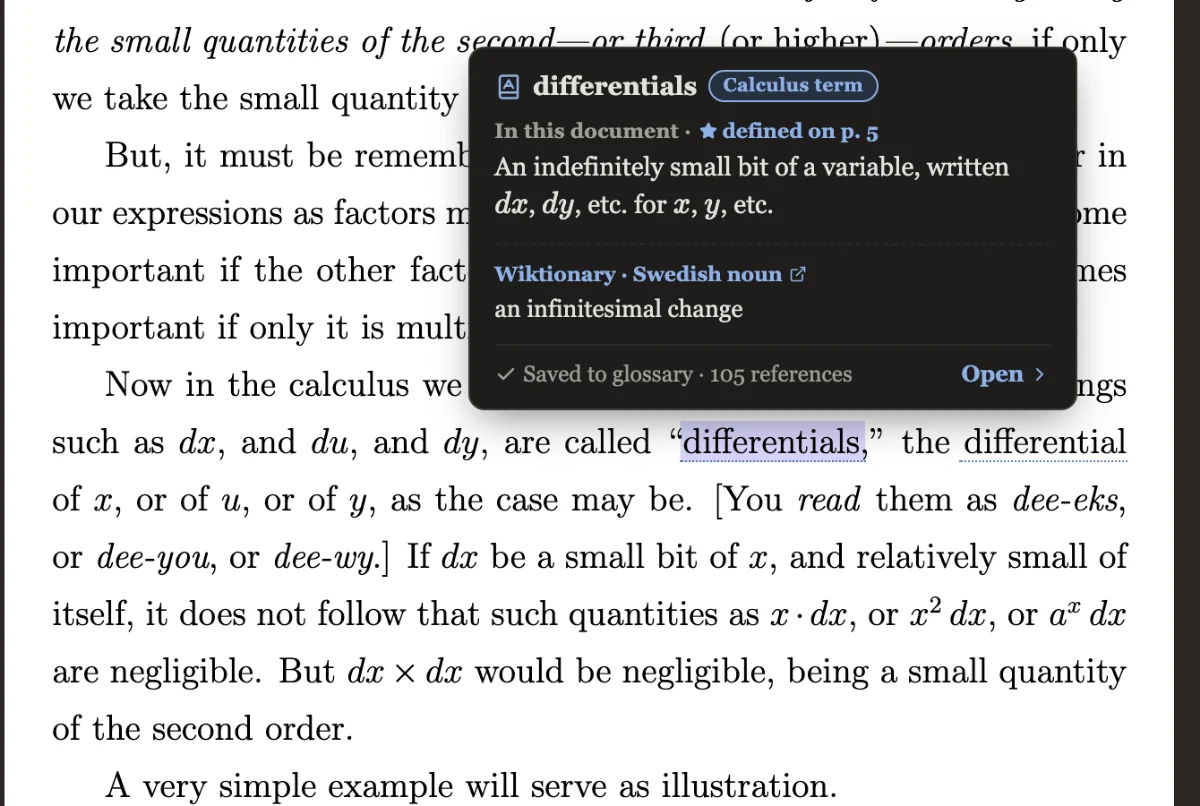
Look up a term and get its meaning as this document uses it, where it is defined and every place it appears, with a dictionary or Wikipedia entry alongside.

Cross-references work too: “Eq. (3.2)”, “Theorem 4.1” and “[12]” link to their targets and preview them exactly as printed.

A glossary card for the term differentials, giving the book's own definition, noting it is defined on page 5, and counting 105 references.

Everything you read, in one library

Add PDFs and EPUBs, or paste a link to save a blog post, an article or a documentation page. An arXiv link fetches the paper itself.

EPUBs and web pages are typeset into PDFs when you add them, with their pictures, links and contents intact, so highlighting and the study tools work the same on all of them.

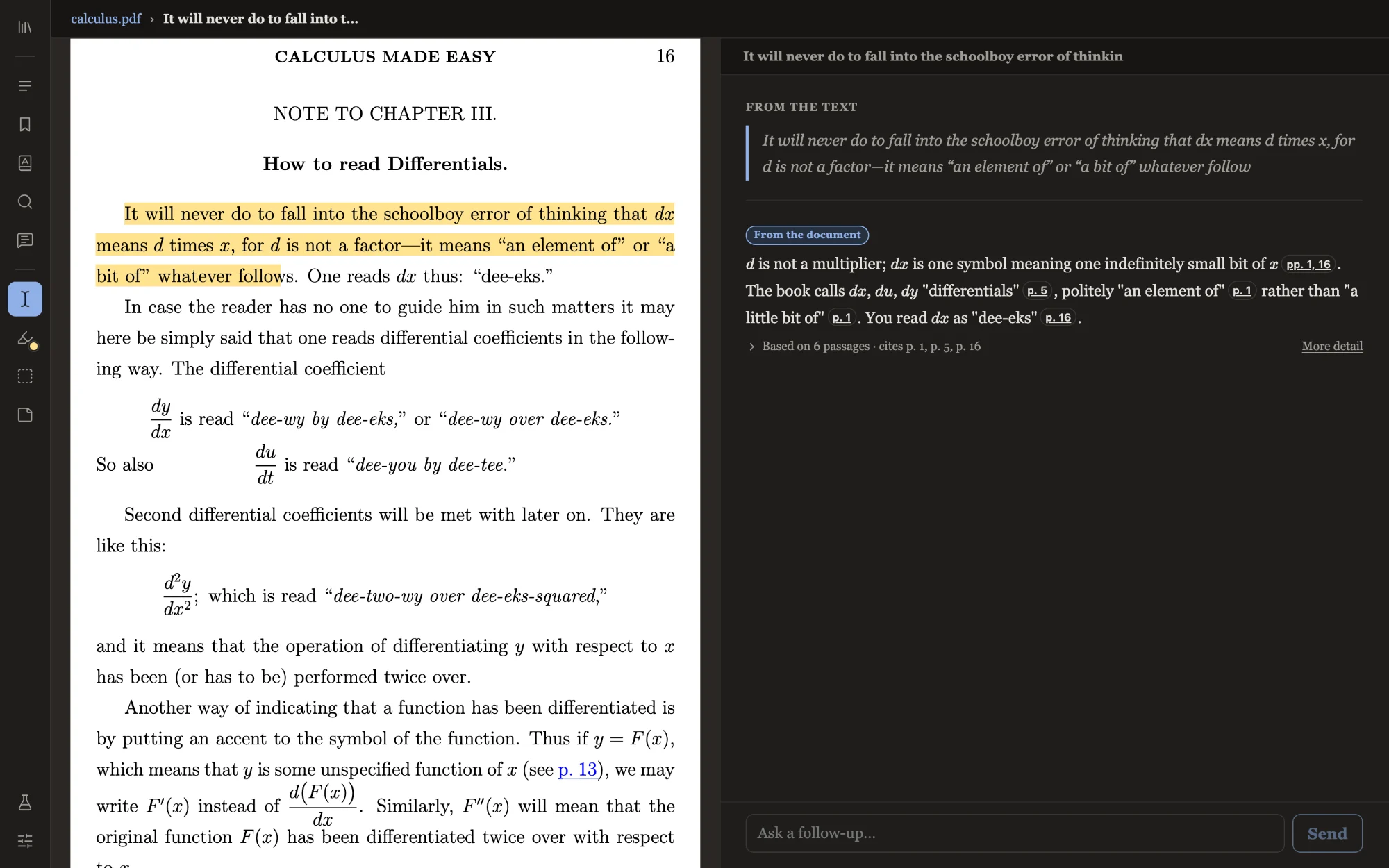
The library, showing covers for On the Origin of Species, Flatland, Relativity and Calculus Made Easy, with a Continue reading row above.

And a proper reader underneath

The AI tools are optional. Without an API key, reading, highlighting and notes all still work.

  • Highlights and notes

    Five colors, underline or strikethrough, with comments. Area highlights and sticky notes for figures and margins.

  • Navigation

    Table of contents, full-text search, printed page labels like “xii”, and Back / Forward over every jump.

  • Comfortable reading

    Zoom, two-page view, continuous scrolling, and light and dark themes.

  • Take your work with you

    Export an annotated copy of the PDF, or back up all your notes as a single file.

  • Your choice of model

    Use Muse Spark, Claude, OpenAI or Gemini, and pick a different one for each tool if you like.

  • Your files stay local

    The desktop app keeps your library as plain files in a folder. The browser version keeps it in the browser.

Get started

You need Node.js 22.18 or newer and an API key for at least one supported provider.

git clone https://github.com/knowbel/knowbel-reader.git
cd knowbel-reader
npm install
cp .env.example .env    # add your API key
npm run dev

Then open the address Vite prints, usually http://localhost:5173. For the desktop app, install the Rust toolchain and run npm run tauri dev. It has been tested on macOS so far.

The README covers providers, per-tool model settings and building the desktop app.